

Design your PDF templates visually using Liquid markup. Send JSON data via our REST API. Get a professionally formatted PDF back instantly.
Start Free Read the Full GuideUse the visual editor to create HTML + Liquid templates. Start from scratch or pick a starter: invoice, table, report, or cover page.
See your PDF rendered in real time as you edit. Add sample JSON data to test with realistic content before going live.
POST your JSON data to the API with your template ID. Receive a link to your generated PDF. That's it.
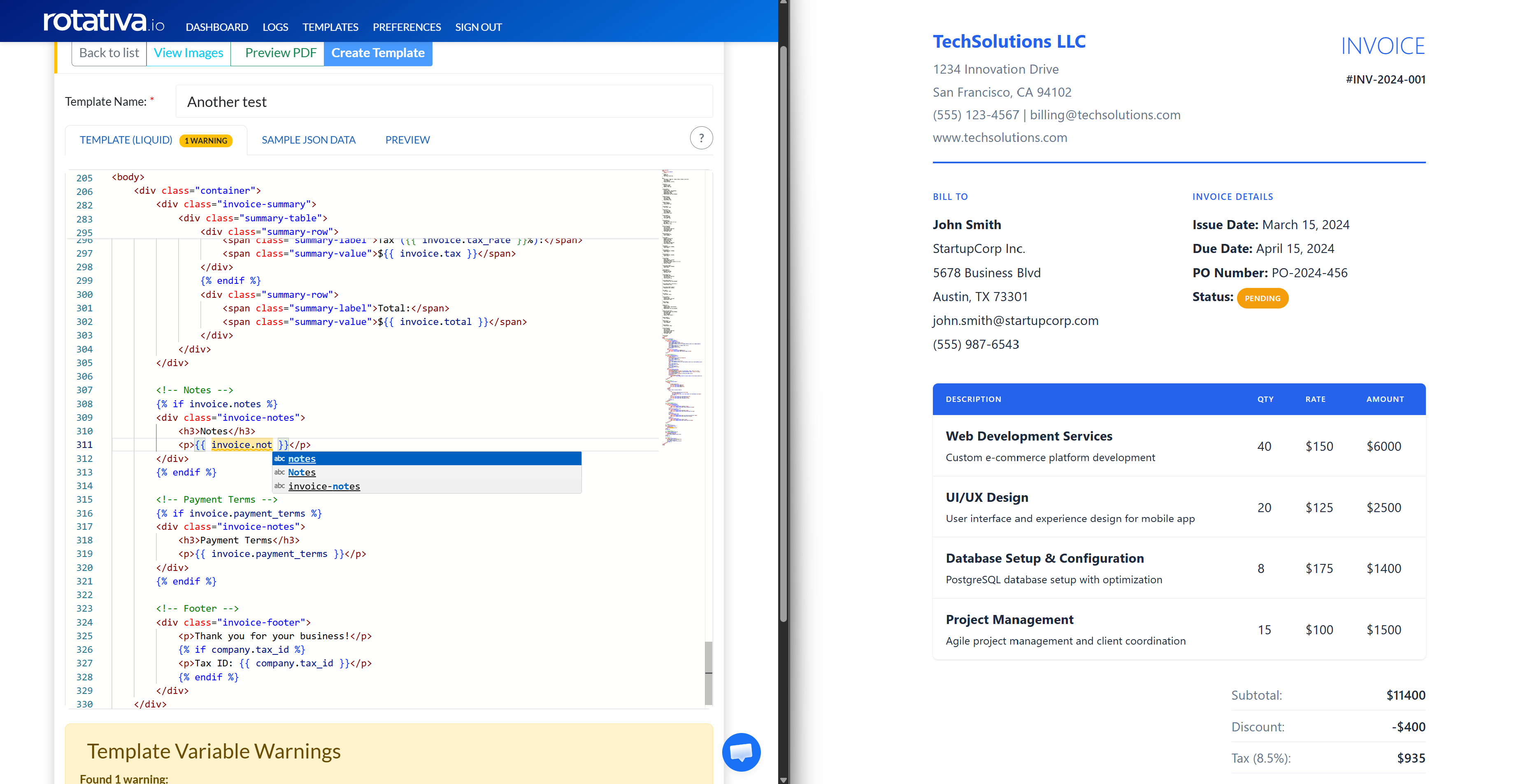
Stop wrestling with server-side PDF generation tools. Design in HTML and CSS, let the API handle the conversion. Works from any language or platform.
Use variables, loops, conditionals, and filters with the battle-tested Liquid template language. Build dynamic invoices, reports, and more.
Get up and running fast with ready-made starters: blank, data table, invoice, and table with cover page. Customize everything to fit your brand.
See your PDF update in real time as you type. Pop out the preview to a separate window for side-by-side editing.
Upload images directly in the editor and insert them into your templates. Logos, signatures, watermarks — all managed in one place.
One endpoint. POST your JSON, get a PDF URL back. Works with C#, Python, PHP, Node.js, Java — any language that can make HTTP calls.
Send JSON data, receive a PDF document. It's that simple.
curl -X POST "https://api.rotativa.io/api/templateRender?templateId=my-invoice" \
  -H "X-ApiKey: YOUR_API_KEY" \
  -H "Content-Type: application/json" \
  -d '{
    "customerName": "Acme Corp",
    "invoiceNumber": "INV-2026-042",
    "items": [
      {"name": "Web Development", "quantity": 40, "price": 150.00},
      {"name": "Hosting (Annual)", "quantity": 1, "price": 500.00}
    ],
    "total": 6500.00
}'Templates use Liquid, a widely adopted templating language created by Shopify. It supports variables, loops, conditionals, and filters to generate dynamic content from your JSON data.
No. Templates are designed in the browser-based editor and PDFs are generated in the cloud via the REST API. There's nothing to install on your server.
Any language that can make HTTP requests works with the API: C#/.NET, Python, PHP, Node.js, Java, Ruby, Go, and more.
Yes. Upload images directly in the template editor and reference custom fonts via CSS @font-face rules. The PDF engine has full CSS3 support including flexbox and grid.
Yes. The free plan includes 100 PDFs per month, enough to build and test your integration before scaling up.
Free plan available. No credit card required.
Create Your Free Account